
If the weight of your luggage is going to be more then the limit specified on your PNR, we recommend that you purchase extra luggage while booking ticket through website/app.
Step 1: Firstly you have to login into your udChalo profile with your email id and phone number.
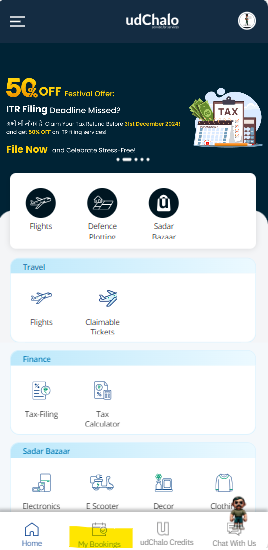
Step 2: Once you have logged in to your profile click on "My Bookings" option.
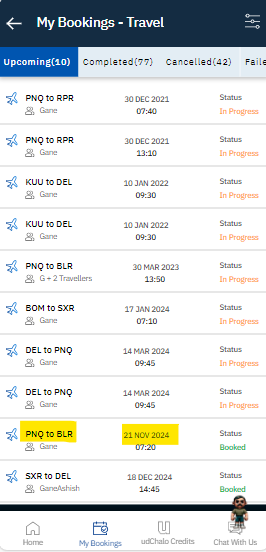
Step 3: Select the booking for which you want to add the extra baggage.
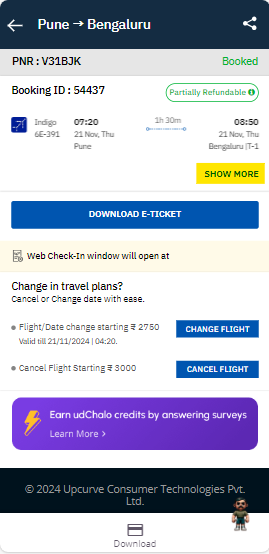
Step 4: Click on "Show more" inside the booking details.
Step 5: Click on "Add+" to select the seat.
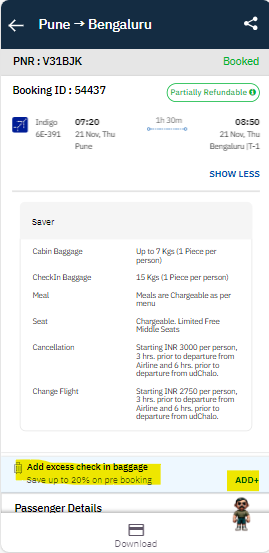
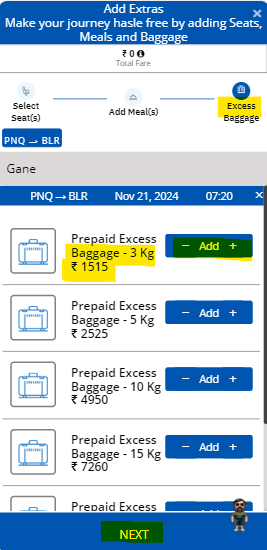
Step 6: In the Excess Baggage queue select the extra Kgs and click on " Add" and then click "Next" to make the payment.
Step 7: In the next page choose the payment mode and click on "Pay Now" 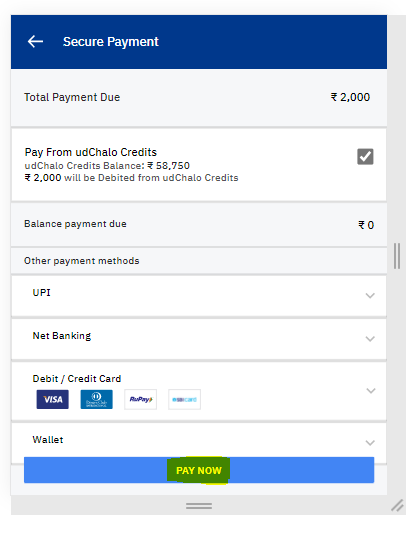
Step 8 : Once the payment is made then the extra baggage will get added into your booking.
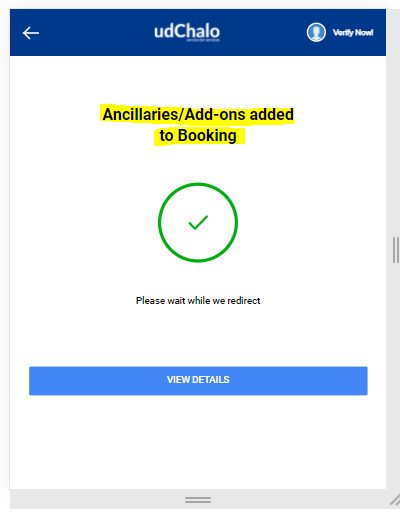
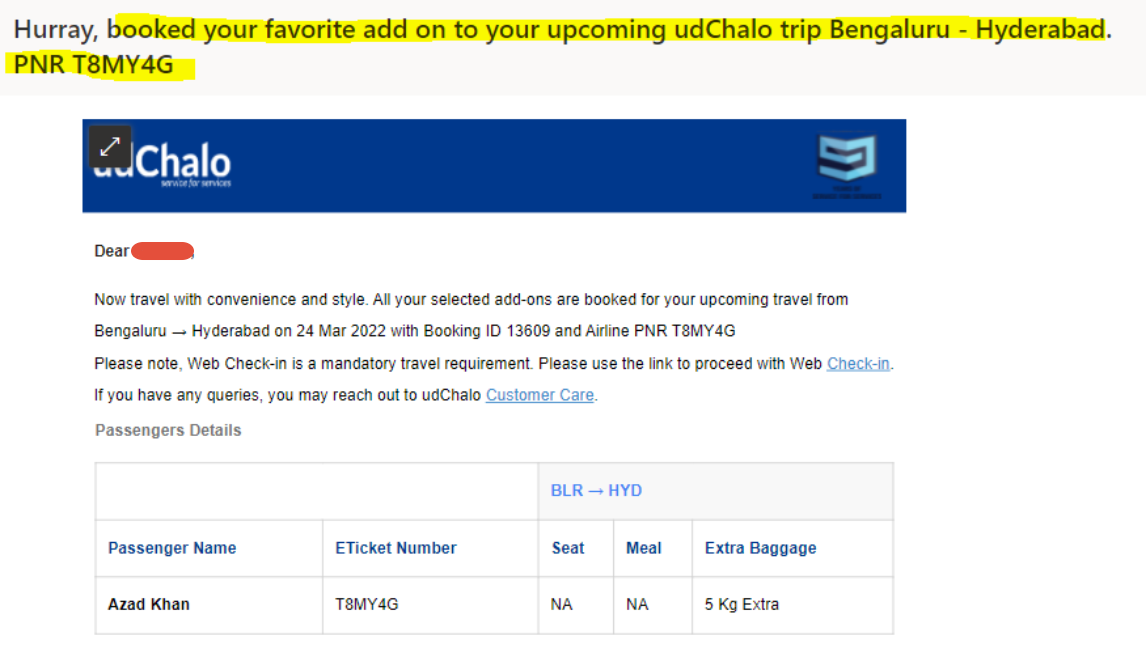
Step 9: You will receive the email for the confirmation.
udChalo doesn't charge anything for this service apart from airline charges.
Note: If your luggage weight exceeds the limit mentioned in your PNR, then Airline will charge penalty. Hence we recommend our customers to buy additional luggage before your travel.