You can view and print ticket copy of udChalo whenever required.
Below are the steps taken.
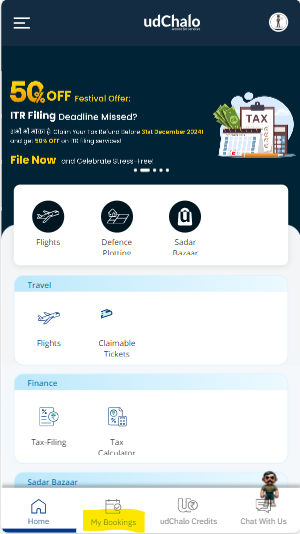
Step 1: Login into the account and click on "My Bookings".
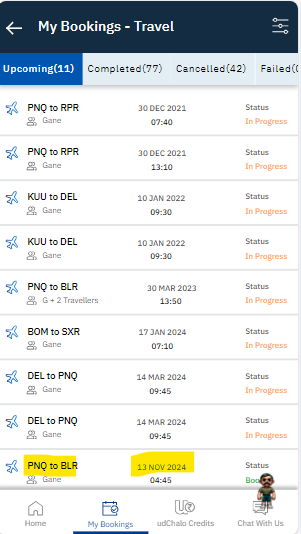
Step 2: Once clicking on My Bookings you will get the complete bookings of your profile. Select booking which you want to download.
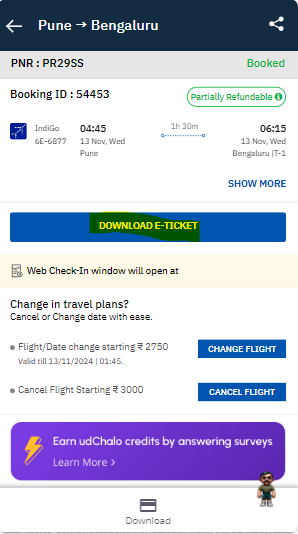
Step 3: Click on the bookings and the details will reflect on the page. You have to click on "Download e-Ticket" to download the ticket so that you can Print the ticket copy.