
To check the status of the booking you can login into your profile with registered email ID and phone number.
Below are the steps to check the PNR status:
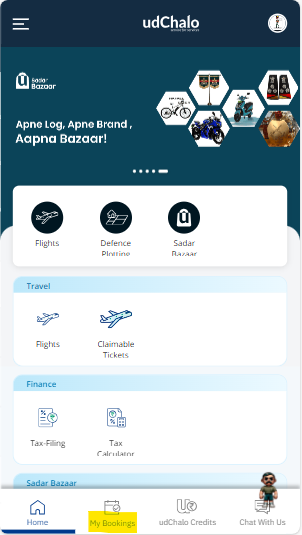
Step 1: "Login" into your udChalo account with registered email ID and phone number and click on "My Bookings"
Step 2: In the next step you will get the complete details of the Booking.
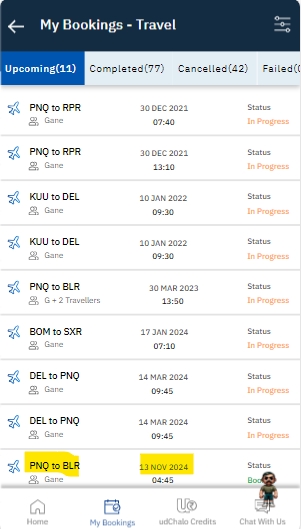
Step 3: Click on anyone of the upcoming flight and check the details of your booking.
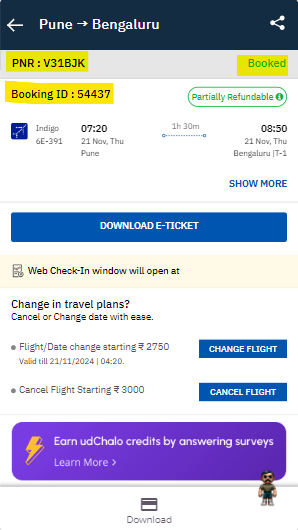
You will also receive the booking confirmation details on your email ID and phone number.